Skip to content
Firestick IPTV UK · 2026

Best IPTV for Firestick UK in 2026

Use TVPrime4K on a compatible Fire TV Stick with a supported IPTV player. Compare the player options, follow the Firestick setup steps and test the service with a free 24-hour trial before choosing a plan. Player availability and installation steps depend on your Fire TV model.

✓ 24-Hour Free Trial ✓ Firestick Ready ✓ 4K Compatible ✓ Setup Support ✓ No Payment Details for Trial
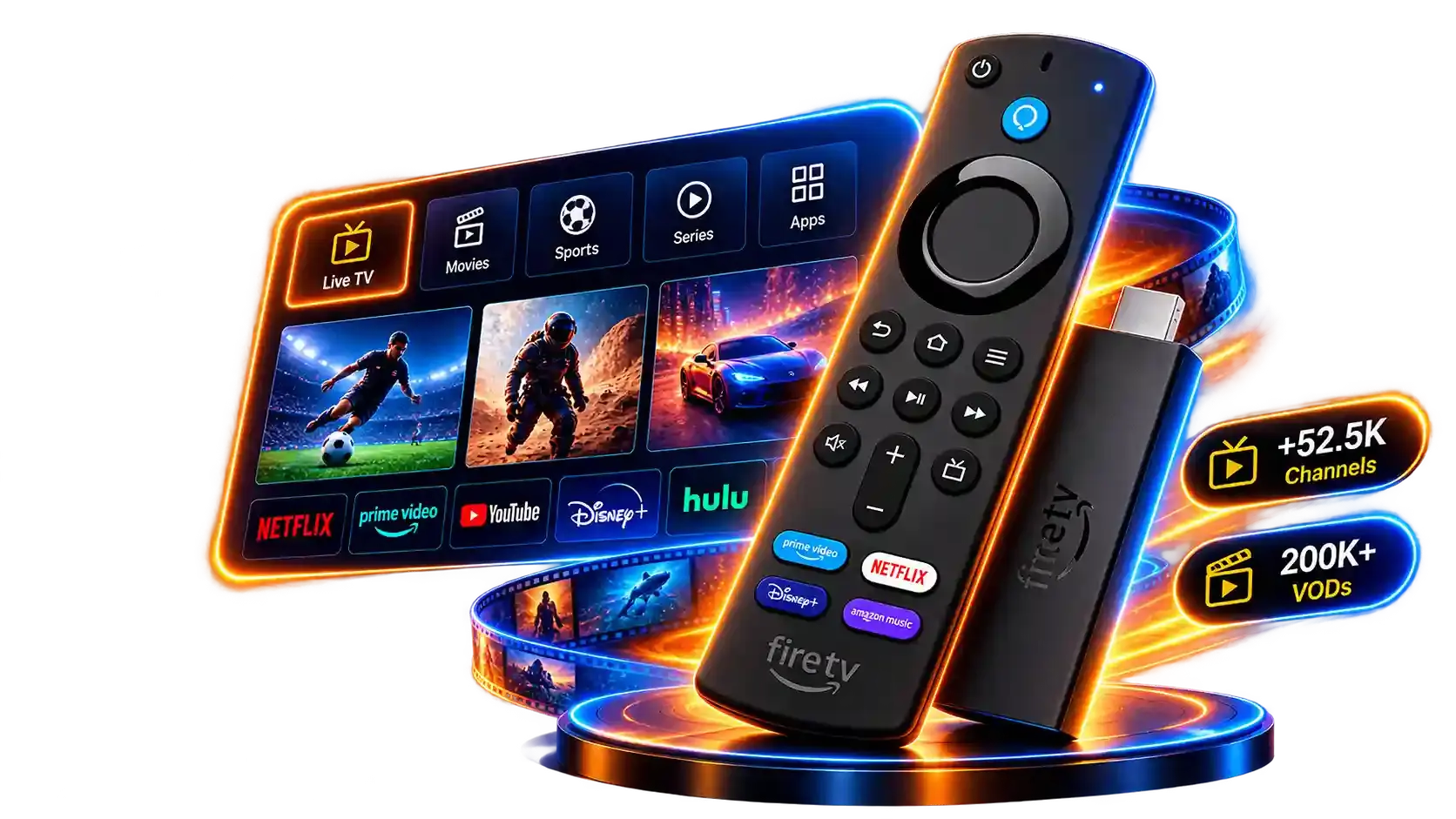
IPTV for Firestick UK — Amazon Fire TV Stick with remote, live TV interface showing channels and on-demand content
52.5K+ Live Channels
200K+ Movies & Series
HD / FHD / 4K Streaming Quality
EPG Programme Guide
1–3 Connections
24/7 Support

Check before installing

Which Fire TV Stick do you have?

The model matters more than the name on the box. Amazon lists the Fire TV Stick HD (2026) and Fire TV Stick 4K Select (2025) as Vega OS devices. Earlier Fire OS models use a different app platform. Check the exact device in Fire TV Settings before choosing a player or starting a trial.

Fire OS models

Examples include the 2024 Fire TV Stick HD, 2023 Fire TV Stick 4K and 2023 Fire TV Stick 4K Max. Check your chosen player's listing for your exact device, then follow the relevant installation instructions.

Vega OS models

The Fire TV Stick 4K Select (2025) and Fire TV Stick HD (2026) run Vega OS. An Android Fire OS APK is not automatically compatible. Check the Amazon Appstore's “Works With” information for the exact player and model.

Before you buy

Confirm that a suitable player is available on your device and that it accepts the login format supplied with your trial. Our support team can help identify your model and player options.

Ask support about your device

Sources: Amazon Fire TV device specifications and Amazon's device identification guide. See our Vega OS app guide for more detail.

TVPrime4K

Why Choose TVPrime4K as Your IPTV Service for Firestick UK?

TVPrime4K provides compatible login methods for supported Fire TV player apps, a programme guide where available and plans for UK households. Confirm your device and chosen app before subscribing.

Fast Setup

Receive your access details quickly after subscribing. Install your preferred IPTV player on Firestick and enter your login — setup takes minutes, not hours.

4K Ready

TVPrime4K supports HD, Full HD and 4K streaming quality. Pair it with the Fire TV Stick 4K or 4K Max for the best picture on your television.

Player Support

On compatible Fire OS devices, supported players may accept Xtream Codes or M3U login details. Check the player listing for your exact device, especially on Vega OS.

Live TV & EPG

Browse 52,500+ live channels with a full electronic programme guide. See what is on now and next — just like a traditional TV guide on your Firestick.

Movies & Series

Access 200,000+ movies and series on demand. Browse by genre, search by title and watch on your Firestick whenever you want — no schedule to follow.

Free 24-Hour Trial

Test the full service on your Firestick before paying. The trial includes live channels, EPG, movies and series — no payment details required and no automatic renewal.

Device Comparison

Which Firestick Is Best for IPTV?

This comparison covers the named Fire OS models below. Newer Fire TV Stick HD (2026) and 4K Select (2025) use Vega OS; check their app support separately before choosing a player.

Fire TV Stick HD (2024, Fire OS)

Resolution
1080p Full HD
HDR
HDR10, HLG
Wi-Fi
Wi-Fi 5
Processor
Quad-core 1.7 GHz
RAM
1 GB
Ethernet
Adapter sold separately
Best For
Budget 1080p IPTV

Fire TV Stick 4K (2023, Fire OS)

Resolution
4K Ultra HD
HDR
HDR10, HDR10+, HLG, Dolby Vision
Wi-Fi
Wi-Fi 6
Processor
Quad-core 1.7 GHz
RAM
2 GB
Ethernet
Adapter sold separately
Best For
4K IPTV viewing

Fire TV Stick 4K Max (2023, Fire OS)

Recommended
Resolution
4K Ultra HD
HDR
HDR10, HDR10+, HLG, Dolby Vision
Wi-Fi
Wi-Fi 6E
Processor
Quad-core 2.0 GHz
RAM
2 GB
Ethernet
Adapter sold separately
Best For
Best all-round IPTV

Fire TV Cube

Resolution
4K Ultra HD
HDR
HDR10, HDR10+, HLG, Dolby Vision
Wi-Fi
Wi-Fi 6E
Processor
Octa-core 2.0 GHz
RAM
2 GB
Ethernet
Built-in
Best For
Power users, smart home

The Fire TV Stick 4K Max is the recommended Firestick for IPTV in the UK. Its combination of 4K resolution, Wi-Fi 6E and a faster processor makes it the best choice for a smooth, high-quality IPTV experience. The standard 4K model is a great alternative. The HD stick is suitable for 1080p viewing on a budget. The Fire TV Cube offers the most power and includes a built-in Ethernet port, but costs more than the stick models.

Player Apps

Best IPTV Player Apps for Firestick UK

An IPTV player is the app that displays your subscription content on the Firestick. It is not the subscription itself — you need both the player and a TVPrime4K subscription. Here are the most popular IPTV player apps for Firestick.

Great TV Interface

TiviMate

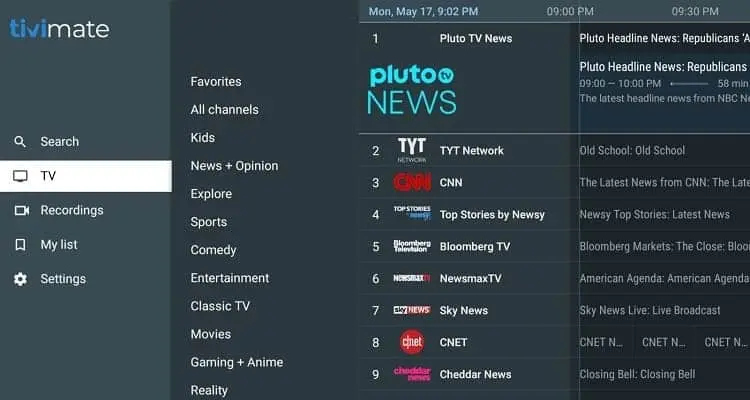
TiviMate is widely considered the best IPTV player for Firestick in the UK. Its interface is built for big screens and remote navigation, with a full electronic programme guide, channel groups, favourites and recording support. TiviMate supports both Xtream Codes and M3U playlist connections. If you want a television-like experience on your Firestick, TiviMate is the strongest choice.

TiviMate IPTV player interface on Firestick showing channel list and EPG programme guide
Easy to Use

IPTV Smarters Pro

IPTV Smarters Pro is a popular IPTV player for Firestick with a straightforward interface. It organises content into Live TV, Movies and Series sections and supports both Xtream Codes and M3U playlist connections. IPTV Smarters Pro includes EPG data where available. Setup is simple — enter your IPTV login details and the app loads your channels automatically.

Clean Interface

IBO Player

IBO Player offers a clean, playlist-based interface on Firestick. It uses a device-based activation system — you register your Firestick's MAC address with IBO Player and your IPTV provider loads the playlist onto the device. IBO Player is straightforward to navigate and works well for users who prefer a minimal layout without extensive settings.

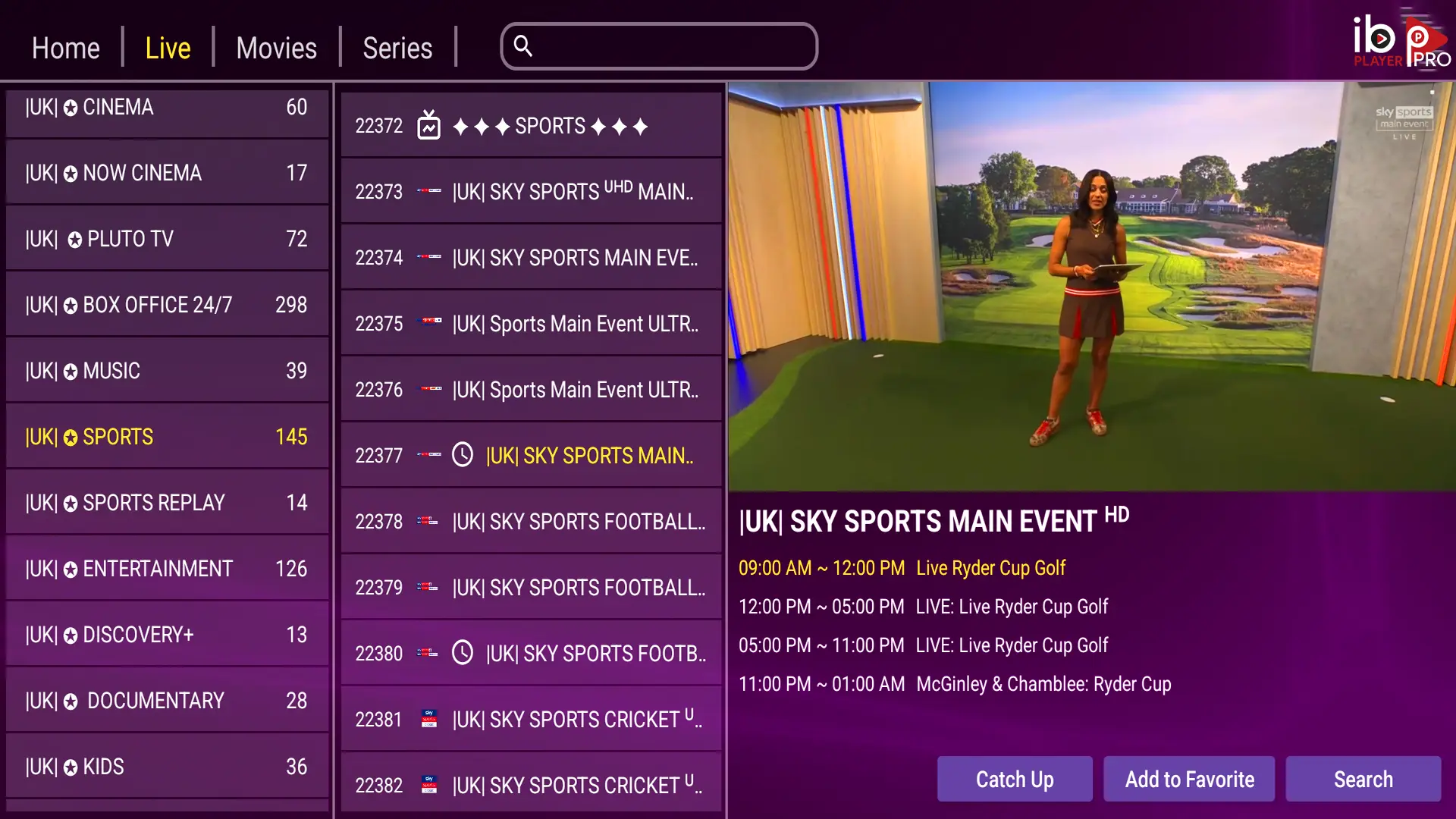
IBO Player IPTV app interface on Firestick showing clean playlist-based channel layout
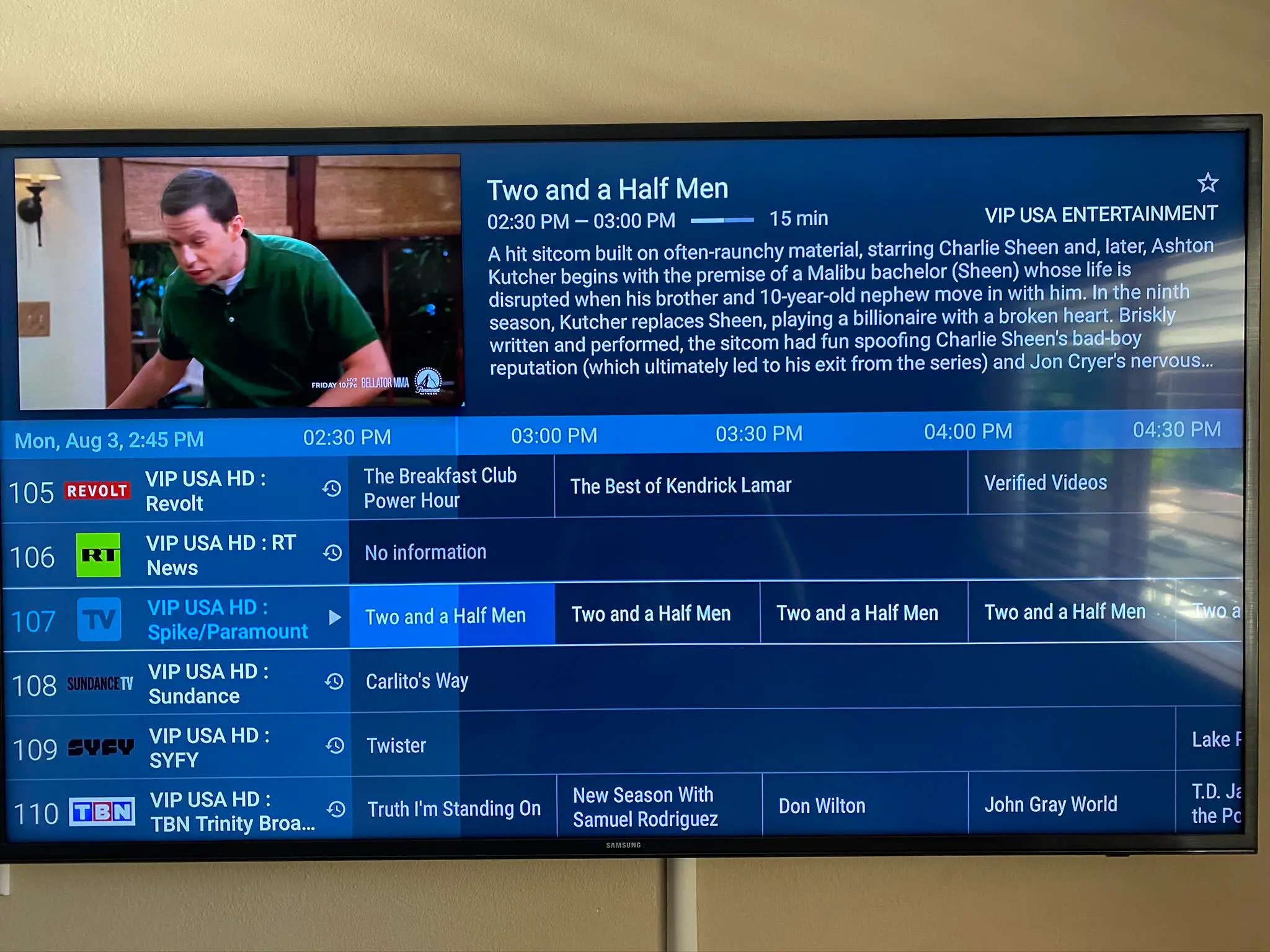
IPTV electronic programme guide on Firestick showing live TV channels with current and upcoming programmes

Live Television

Live TV, EPG and IPTV Channels on Firestick

Browse 52,500+ live IPTV channels on your Firestick with a full electronic programme guide. The EPG shows what is on now and what is coming up next on each channel — just like the programme guide on Freeview or Sky. TiviMate and IPTV Smarters both display EPG data on Firestick when your IPTV subscription includes guide information.

Channels are organised into groups — UK, international, sports, entertainment, news, kids and more. Use the remote to browse categories or search for a specific channel by name. With TVPrime4K, your Firestick becomes a full IPTV receiver with live television and a programme guide.

Sports Channels

Live Sports IPTV on Firestick

Watch live sports on your Firestick with TVPrime4K. Sports IPTV channels cover football, cricket, rugby, tennis, boxing, UFC, motorsport and more. For the best live sports IPTV experience on Firestick, use the Fire TV Stick 4K or 4K Max with a stable broadband connection.

Many UK viewers search for football IPTV on Firestick and Premier League IPTV on Firestick to find live match coverage. Sports channel availability depends on your subscription and the channels included by the provider at the time of viewing.

TVPrime4K is not affiliated with any broadcaster, league or sports organisation. Channel availability varies and is subject to change.

On Demand

Movies and Series on Firestick with IPTV

TVPrime4K includes 200,000+ movies and series available on demand. Browse by genre, search by title and watch on your Firestick whenever you want — no schedule to follow. New content is added regularly, covering a range of genres from action and drama to documentaries and kids' programming.

On-demand content is available through TiviMate, IPTV Smarters and IBO Player on Firestick. The movie and series library is separate from live channels — you can switch between live TV and on-demand content at any time without changing apps.

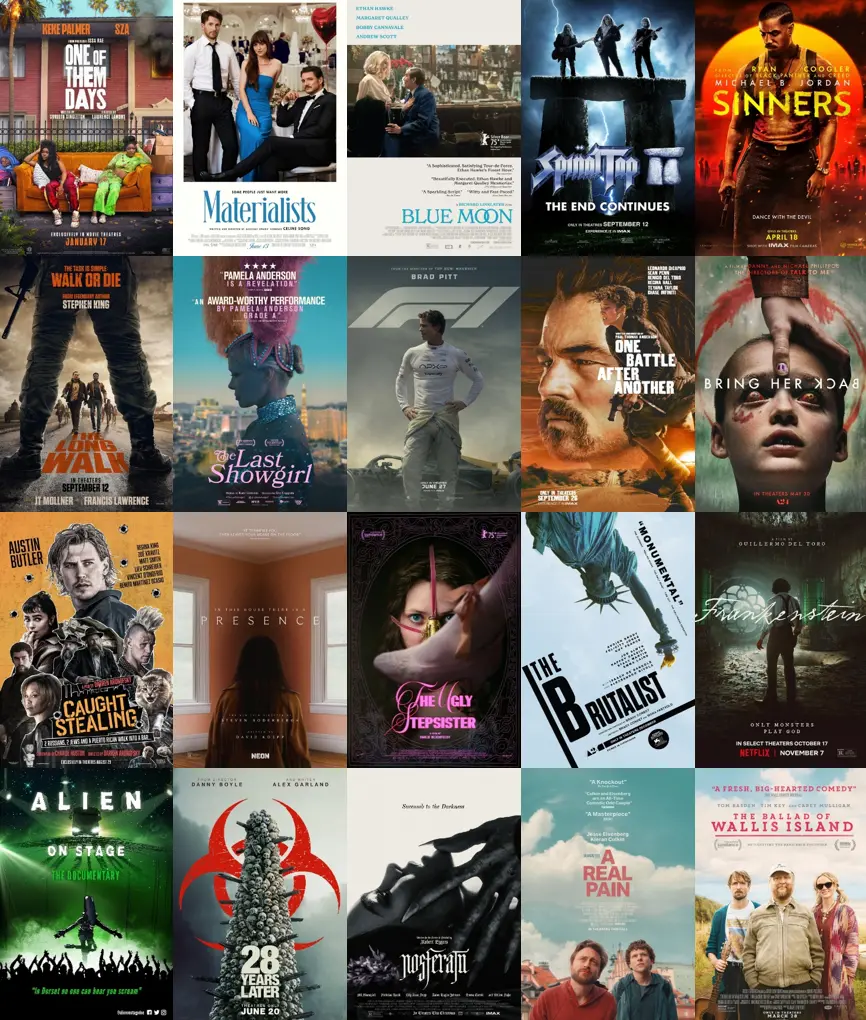
IPTV movies and series catalogue on Firestick showing on-demand content library with genres and titles

Try Before You Buy

Try IPTV for Firestick UK Free for 24 Hours

Test the full TVPrime4K service on your Firestick before committing to a subscription. The free 24-hour IPTV trial gives you complete access.

  • ✓ Full access to all live channels and EPG
  • ✓ Movies and series on demand
  • ✓ Check player compatibility for your exact Fire TV model
  • ✓ No payment details required
  • ✓ No automatic renewal

Learn more about our IPTV free trial UK

Helpful guides

Firestick IPTV troubleshooting guides

Fix common Fire TV playback, buffering, EPG and app problems with focused step-by-step guides.

Browse all guides

Pricing

IPTV Subscription for Firestick UK

Choose a subscription length and number of connections. Every plan includes full access to live channels, EPG, movies and series on your Firestick. Prices include all features — there are no hidden extras.

1 Month

£9.99

1 screen

  • Flexible access
  • Setup guidance
  • Customer support

Connections

Simultaneous streams

Choose one
Choose This Plan

3 Months

£19.99

£6.66 a month · 1 screen

  • Flexible access
  • Setup guidance
  • Customer support

Connections

Simultaneous streams

Choose one
Choose This Plan

6 Months

£36.99

£6.17 a month · 1 screen

  • Flexible access
  • Setup guidance
  • Customer support

Connections

Simultaneous streams

Choose one
Choose This Plan

12 Months

Most Popular

£49.99

£4.17 a month · most chosen

  • Flexible access
  • Setup guidance
  • Customer support

Connections

Simultaneous streams

Choose one
Choose This Plan

24 Months

Best Value

£89.99

£3.75 a month · 1 screen

  • Flexible access
  • Setup guidance
  • Customer support

Connections

Simultaneous streams

Choose one
Choose This Plan

Getting Started

How to Get Started with IPTV on Firestick

Setting up IPTV on your Firestick takes just a few steps. Here is the process from choosing a plan to watching your first channel.

  1. 1

    Choose a trial or subscription

    Start with a free 24-hour trial to test the service, or go straight to a subscription plan if you already know what you need.

  2. 2

    Prepare your Firestick

    Make sure your Firestick is connected to your TV, powered on and connected to your home Wi-Fi network.

  3. 3

    Install an IPTV player

    Check which player supports your exact Fire TV model. Install it from its official listing when available; use the setup guide for the correct login steps.

  4. 4

    Enter your login details

    After subscribing, you will receive your access details. Enter the server URL, username and password (or M3U link) into your IPTV player.

  5. 5

    Load your playlist and EPG

    The player loads your channel list and programme guide automatically. Browse channels, set favourites and start watching IPTV on your Firestick.

Troubleshooting

Common IPTV Firestick Problems & Fixes

Most Firestick IPTV problems have straightforward solutions. Here are the issues customers ask about most and how to fix them.

Buffering on Firestick is usually caused by a slow or congested internet connection, Wi-Fi interference from nearby devices, or too many background apps consuming memory. Restart your Firestick and router, close unused apps from the recent apps menu, and move the device closer to your router. Using an Ethernet adapter provides a more stable wired connection. The Fire TV Stick 4K Max with Wi-Fi 6 handles network congestion better than older models.

If IPTV is not working on your Firestick, first check your internet connection by opening another app or running a speed test. Verify that your IPTV subscription is active and that you have entered the correct login details in your player app. Clear the player app cache from Settings > Applications > Manage Installed Applications, then restart the app. If the issue persists, restart your Firestick by holding the Select and Play/Pause buttons for five seconds, or unplug and reconnect the device.

If your TiviMate playlist is not updating, open TiviMate and go to Settings > Playlists, select your playlist and tap Update. Ensure the playlist URL or Xtream Codes login details are still valid — your provider may have changed the server address. Check that your Firestick has a stable internet connection. If the EPG data is stale, go to Settings > EPG and refresh the guide. Clearing the TiviMate cache from the Firestick app settings can also resolve update issues.

Double-check the server URL, username and password provided by your IPTV subscription. Ensure there are no extra spaces before or after the login details. Verify that your subscription is active and has not expired. If you are using Xtream Codes login, select the correct login type in IPTV Smarters. Clear the app cache and data from Firestick Settings > Applications > Manage Installed Applications > IPTV Smarters, then re-enter your credentials. Contact your provider if the login details have been reset.

EPG availability depends on your IPTV provider and the channels included in your subscription — not all channels have programme guide data. In TiviMate, go to Settings > EPG and ensure the EPG source URL is entered and tap Update. In IPTV Smarters, the EPG loads automatically if the provider supplies it via Xtream Codes. Allow up to a few minutes for the EPG to download and populate on first load. A slow internet connection can also delay EPG loading.

An Xtream Codes login error typically means the server URL, username or password is incorrect, or your subscription has expired. Verify the exact details provided by your IPTV provider — server addresses are case-sensitive and must include the correct port number. Check that your device date and time are set correctly, as some servers reject connections with incorrect timestamps. If the error persists after confirming your details, contact your IPTV provider as the server may be temporarily unavailable or your account may need reactivation.

A slow Firestick is often caused by insufficient storage, too many background apps, or outdated software. Go to Settings > Applications > Manage Installed Applications and clear the cache for apps you use regularly. Uninstall apps you no longer need to free storage space. Restart your Firestick by going to Settings > My Fire TV > Restart. Check for software updates under Settings > My Fire TV > About > Check for Updates. Turning off Data Monitoring and disabling notifications from unused apps can also improve performance.

If your Firestick keeps disconnecting from Wi-Fi or the connection is unstable, restart both the Firestick and your router. Move the Firestick closer to the router or remove physical obstructions between them. Avoid placing the Firestick behind the TV where the signal is blocked. If your router supports both 2.4 GHz and 5 GHz bands, try connecting to the 5 GHz band for faster speeds at shorter range, or the 2.4 GHz band for better range through walls. For the most reliable connection, use an Amazon Ethernet Adapter for Fire TV.

Legal Information

Is IPTV Legal on Firestick in the UK?

IPTV is a technology for delivering television over the internet. It is not illegal by itself. Amazon Firestick is a legitimate consumer device sold worldwide, and IPTV player apps such as TiviMate, IPTV Smarters and IBO Player are legitimate software. The legality depends entirely on the content and the rights held by the IPTV provider.

The phrase "illegal IPTV Firestick" appears frequently in UK searches. What people usually mean is whether a specific IPTV service is licensed to distribute the channels and content it offers. Using a Firestick to access IPTV is not itself illegal — the device and the player apps are lawful products.

The question of "illegal IPTV UK" is about the provider, not the technology. In the UK, distributing copyrighted content without a licence is a criminal offence. Viewers who knowingly access unlicensed streams may also face legal risk. The safest approach is to use an IPTV provider that operates transparently and to avoid services that make unrealistic promises about content they cannot legally offer.

Searches for "pirate IPTV Firestick" often conflate the device with the service. A Firestick does not make a legal service illegal, and it does not make an illegal service legal. The responsibility lies with the provider to hold the appropriate content rights and with the viewer to choose a service they are authorised to use.

TVPrime4K encourages all customers to use the service responsibly and to understand the terms of service. If you have questions about what is included in your subscription, contact support for clarification.
Questions & Answers

IPTV Firestick UK FAQs

Answers to the most common questions about IPTV on Firestick in the UK — covering compatibility, players, pricing, trials and more.

IPTV (Internet Protocol Television) delivers live TV channels, movies and series over the internet instead of through a traditional aerial, satellite dish or cable connection. On a Firestick, you install an IPTV player app and connect it to your IPTV subscription to watch content on your television.

A compatible Fire TV model can run a suitable player app connected to your subscription. First check your device model and whether the player supports its operating system; Fire OS and Vega OS apps are not interchangeable.

The best IPTV service for Firestick depends on channel selection, reliability, player support and value. TVPrime4K offers 52,500+ live channels, 200,000+ movies and series, EPG support, compatibility with TiviMate, IPTV Smarters and IBO Player, and a free 24-hour trial so you can test the service before buying.

Choose by the player you intend to use as well as picture quality. The 2023 Fire TV Stick 4K and 4K Max run Fire OS; Amazon lists the 2025 4K Select and 2026 HD as Vega OS models. Verify the exact app on the device before paying for a subscription.

Yes. The 2023 Fire TV Stick 4K runs Fire OS and supports 4K video. Check the Amazon Appstore listing of your intended IPTV player for this exact device before installing.

Yes. The 2023 Fire TV Stick 4K Max runs Fire OS and supports 4K video. Verify your chosen player app is compatible with the model before starting a subscription.

TiviMate is widely considered the best IPTV app for Firestick thanks to its TV-friendly layout, full EPG, favourites and remote navigation. IPTV Smarters Pro is a good alternative for users who prefer a simpler interface. IBO Player is another option with a clean playlist-based layout.

TiviMate is excellent on Firestick. Its interface is designed for big screens and remote navigation, with a full programme guide, channel groups, favourites and support for Xtream Codes and M3U playlists. It is widely regarded as one of the best IPTV players for the platform.

Yes. IPTV Smarters Pro is available on Firestick and supports Xtream Codes and M3U connections. It organises content into Live TV, Movies and Series sections and includes EPG data where available. Setup is straightforward — enter your login details and the app loads your channels automatically.

Xtream Codes is a connection method used by IPTV providers to deliver channel lists, EPG data and on-demand content to player apps. Your provider gives you a server URL, username and password which you enter into your IPTV player. Most popular players on Firestick support Xtream Codes connections.

Yes. TiviMate, IPTV Smarters and IBO Player all support M3U playlist URLs on Firestick. Your IPTV provider supplies the M3U URL, which you paste into the player to load your channel list and on-demand content.

Yes. EPG (Electronic Programme Guide) data is supported by TiviMate and IPTV Smarters on Firestick. The guide shows current and upcoming programmes for each channel, similar to a traditional TV guide. EPG availability depends on your IPTV provider and the channels in your subscription.

Buffering is usually caused by a weak or congested internet connection, Wi-Fi interference, or too many background apps. Restart your Firestick and router, close unused apps and move the device closer to your router. For the most stable connection, use an Ethernet adapter. The Fire TV Stick 4K Max with Wi-Fi 6 also handles congestion better.

TVPrime4K offers a free 24-hour trial with no payment details required. Before requesting it, check that a compatible IPTV player is available for your exact Fire TV model. You can ask support to help confirm the device and login method.

Yes. TVPrime4K offers plans with 1, 2 or 3 simultaneous connections. Each connection can run on a separate Firestick or other supported device. Choose the number of connections that matches how many screens your household uses at the same time.

Yes. TVPrime4K includes sports channels covering football, cricket, rugby, tennis, motorsport and more. For the best sports viewing experience on Firestick, use the Fire TV Stick 4K or 4K Max with a stable broadband connection. Channel availability depends on your subscription.

IPTV is a technology for delivering television over the internet — it is not illegal by itself. Amazon Firestick is a consumer device and IPTV player apps are legitimate software. Whether a particular IPTV service is lawful depends on the content rights held by the provider. Viewers should only access services and content they are authorised to use.

A VPN is not required to use IPTV on Firestick. Some users choose to use a VPN for privacy or to avoid ISP throttling, but a VPN does not make unlicensed content legal to access. If your IPTV service is legitimate and your broadband connection is stable, a VPN is generally unnecessary and may introduce additional latency.

For stable IPTV streaming on Firestick, a minimum of 10 Mbps is recommended for HD content. For Full HD, 15–25 Mbps gives a smoother experience. For 4K IPTV on a Firestick 4K or 4K Max, aim for at least 25–50 Mbps. A wired connection via an Ethernet adapter is always more stable than Wi-Fi, especially during peak hours.

An IPTV subscription is the service that provides the channels, movies and series — TVPrime4K is an IPTV subscription. An IPTV player is the app you install on your Firestick to watch that content — TiviMate, IPTV Smarters and IBO Player are IPTV players. You need both: the subscription for the content, and the player to view it.

You can use a supported player on compatible Fire TV devices, but the number that can stream at the same time depends on your plan. TVPrime4K offers 1, 2 or 3 simultaneous connections. Choose the number that matches how many screens your household uses at once.

Yes. Fire TV Cube can use compatible player apps listed for its model in the Amazon Appstore. Check the exact device generation, app availability and supported login method before subscribing.

IPTV Firestick cost in the UK depends on subscription length and the number of simultaneous connections. TVPrime4K offers plans from one month to twenty-four months, with one, two or three connections. Check the subscriptions page for the current IPTV Firestick price rather than relying on outdated prices shown in third-party reviews.

Have another question? Visit the complete FAQ or contact support.

Firestick Ready

Ready to Try the Best IPTV for Firestick UK?

Start with a free 24-hour trial to test TVPrime4K on your Firestick, or compare subscription plans when you are ready.

Choosing a Fire TV player? Compare player and device setup options.