Skip to content
IPTV SMARTERS GUIDE • UK 2026

IPTV Smarters Pro UK: Setup Guide for Firestick, Android TV & Smart TV

IPTV Smarters Pro is one of the most accessible and widely-used IPTV media players in the UK. With a clean, categorised layout separating Live TV, Movies, and Series, it allows users to connect compatible playlists on Amazon Firestick, Android TV, and supported Smart TVs.

Media player notice: IPTV Smarters Pro is strictly a third-party media player. It does not provide any channels, streams, or subscription content. You connect your own active TVPrime4K credentials to supply your channel lineup and electronic programme guide.
✓ Xtream Codes API & M3U ✓ Full EPG Guide Support ✓ Fast 24/7 UK Support Already have access? View setup steps ↓
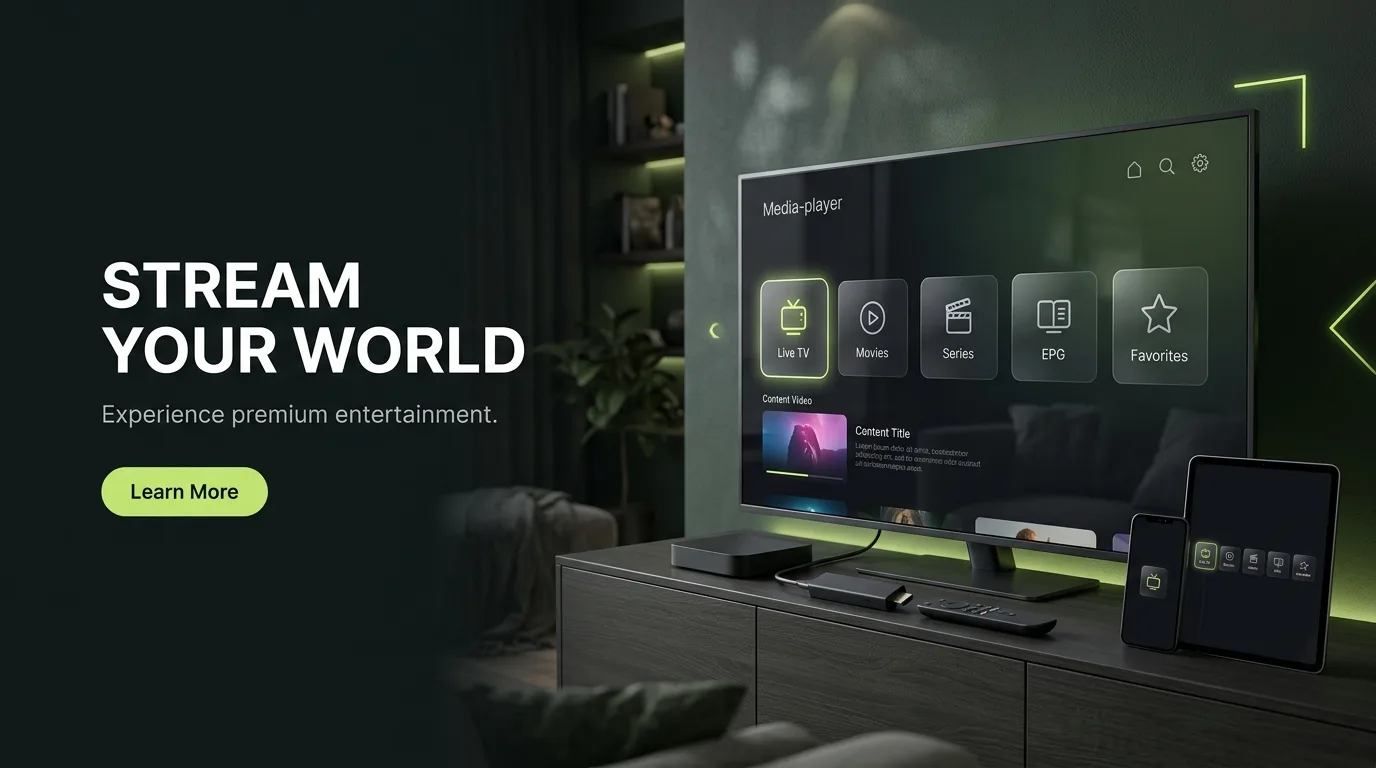
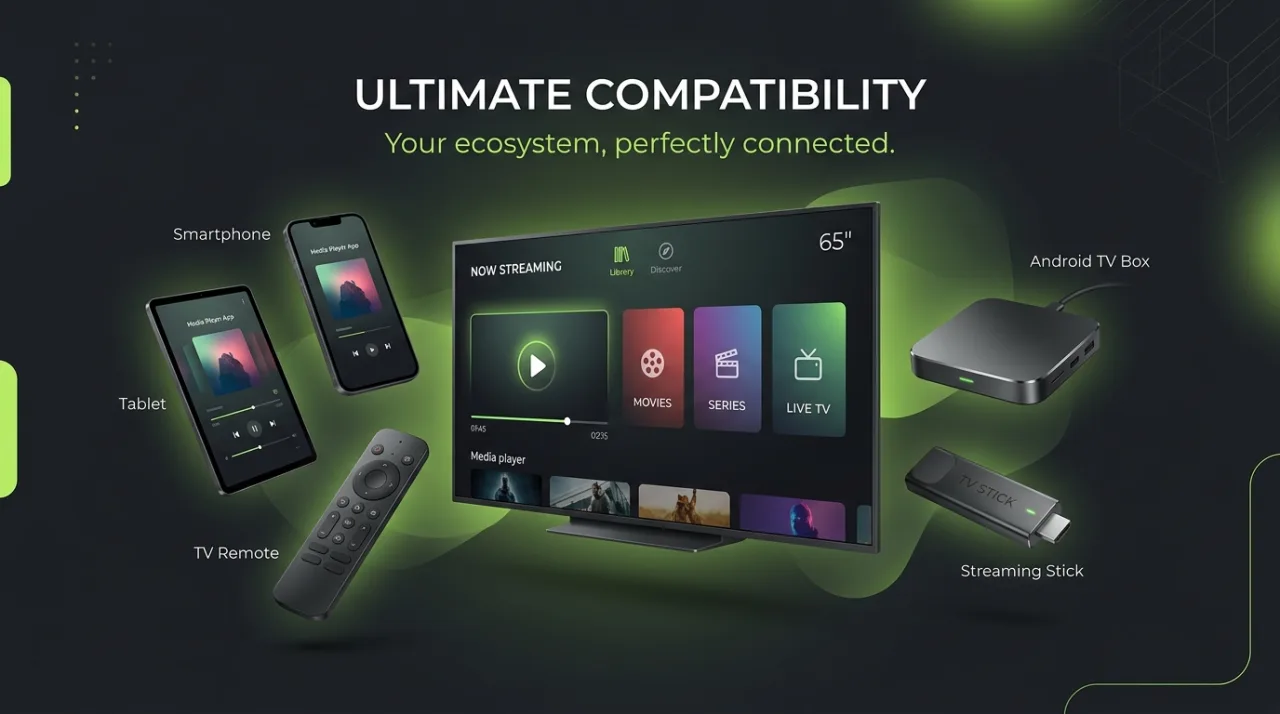
IPTV Smarters compatible devices including Firestick, Android TV and mobile

What is IPTV Smarters Pro?

IPTV Smarters Pro is a standalone media player software application designed for end-users to stream video content, live television broadcasts, and on-demand catalogues using their own playlist credentials. Developed by WHMCS Smarters, the application is widely recognized for its accessible tile-based dashboard that categorises content into Live TV, Movies, and Series. It is compatible with a broad range of operating systems including Amazon Fire TV, Android TV, select Smart TVs, smartphones, tablets, and desktop computers.

Third-Party Software Disclaimer: IPTV Smarters Pro does not sell, host, or broadcast any media or channel subscriptions. TVPrime4K is an independent service provider that supplies compatible Xtream Codes credentials for playback inside player applications such as Smarters Pro.

App Highlights

Core Capabilities of IPTV Smarters Pro

Smarters Pro focuses on simplicity and ease of use, providing the essential tools needed for everyday entertainment across your household screens.

Organized Dashboard

Direct access to Live TV, Movies, Series, and EPG tabs with clean tile navigation for remote controls and touchscreens.

Xtream Codes API

Fast credentials login using Server URL, Username, and Password with automatic category parsing and live guide sync.

Interactive EPG Guide

Electronic programme guide showing current programming, upcoming schedules, channel logos, and show summaries.

Multi-Screen & PIP

Multi-screen viewing capabilities on supported versions to monitor multiple live sport fixtures simultaneously.

Parental Pin Lock

Built-in master PIN protection to secure sensitive channels, adult bouquets, and account configuration settings.

Player Engine Select

Switch between native internal players, ExoPlayer, and external options like VLC for smooth audio/video decoding.

Favourites & History

Bookmark favourite sports and national channels for instant one-click access without searching large playlists.

Multi-Account Profiles

Store multiple user profiles or backup playlists within a single application install for convenient switching.

Platform Ecosystem

IPTV Smarters Device Compatibility

One of the strongest advantages of IPTV Smarters Pro is broad multi-platform support. Whether you stream on a living room TV, a smartphone, or a desktop computer, Smarters offers a unified experience.

Devices compatible with IPTV Smarters and Smarters Pro

Amazon Fire TV

Fire TV Stick HD, 4K, 4K Max, and Fire TV Cube. Installed seamlessly via the Downloader app.

Fire TV Guide →

Android TV / Google TV

Chromecast with Google TV, Sony, Philips, and Nvidia Shield TV. Direct Play Store installation.

Android TV Guide →

Smart TVs (Samsung / LG)

Available in select regions via Samsung Smart Hub and LG Content Store. Availability depends on model year.

Smart TV Guide →

Mobile & PC

iPhone, iPad, Android smartphones, Windows PC, and macOS laptops for flexible portable viewing.

All Device Hub →
* Note: App store listings and availability can vary by television manufacturer, model year, and local app store catalog. If a native client is not listed on your television, an external HDMI streaming stick ensures 100% compatibility.

Installation Overview

How to Set Up IPTV Smarters Pro on Firestick

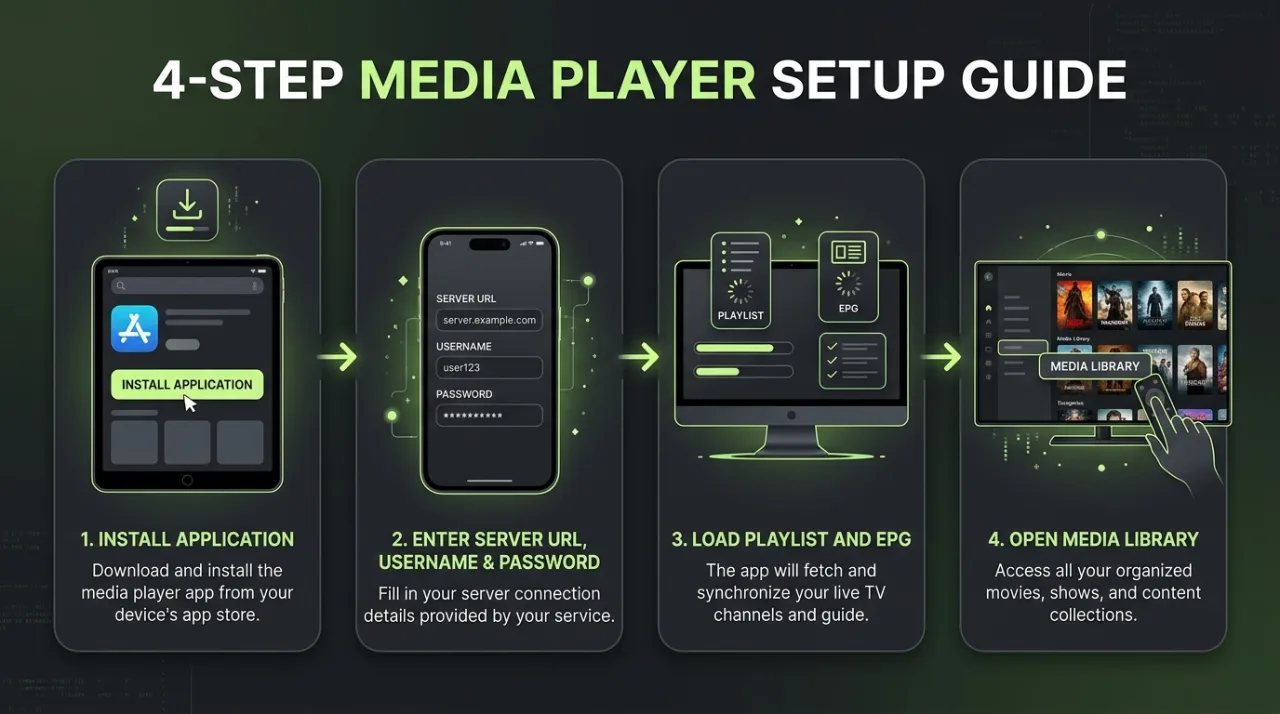
Setting up IPTV Smarters Pro on Amazon Fire TV Stick takes only a few minutes. Follow these essential steps to get up and running.

  1. 1

    Prepare Your Fire TV

    Ensure your Fire TV Stick is connected to your television and internet. Search for and install the official Downloader app from the Amazon Appstore.

  2. 2

    Install Verified Smarters Application

    Open Downloader and fetch the verified IPTV Smarters APK from the official developer source. Avoid random third-party APK mirrors to ensure app integrity and security.

  3. 3

    Select Xtream Codes Login

    Launch the application and choose "Login with Xtream Codes API". This is the recommended connection method for optimal performance and automated EPG syncing.

  4. 4

    Enter TVPrime4K Account Credentials

    Enter your Server URL, Username, and Password as received upon subscribing or requesting a trial. Tap "Add User".

  5. 5

    Load Playlist & Start Watching

    Allow the application a moment to fetch your live channels, on-demand titles, and electronic programme guide. You can now browse channels and set favourites.

Credentials Guide

Connecting with Xtream Codes API

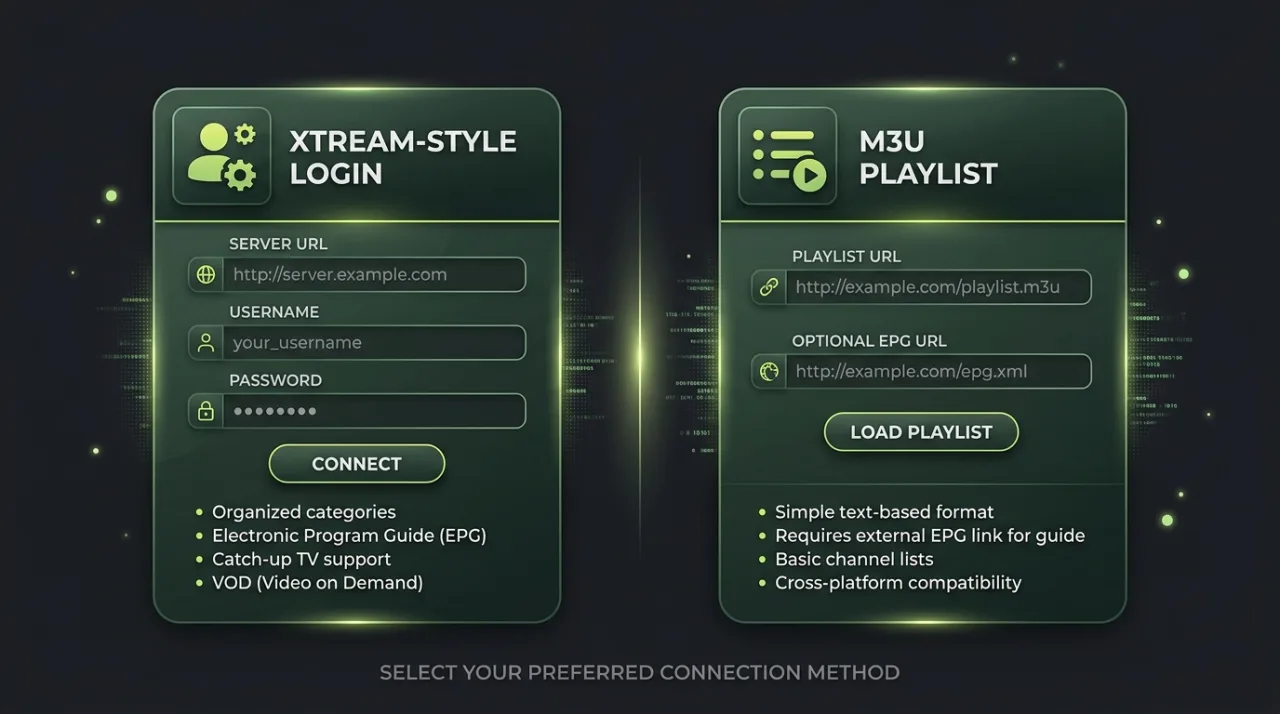
The Xtream Codes login option is the industry standard for IPTV Smarters Pro. Instead of entering an unwieldy M3U web address with a TV remote, you only need three clean fields.

1. Any Name / Profile

Label your profile (e.g., "TVPrime4K Living Room"). This is for your local identification only.

2. Server URL

The server host address and port provided in your activation credentials (e.g., http://server.example.com:8080).

3. Username & Password

Your confidential subscriber credentials. Case-sensitive and specific to your TVPrime4K subscription account.

IPTV Smarters login and playlist setup process

Format Comparison

Xtream Codes API vs. M3U Playlist

Both methods allow IPTV Smarters Pro to load your TVPrime4K subscription. Here is how they compare in daily usage.

Xtream Codes login compared with M3U playlist setup
Criterion Xtream Codes API M3U Playlist URL
Input Required Server URL, Username, Password Long single URL string
Category Organization ✓ Automatic Live, VOD & Series split Merged single channel stream
EPG Integration ✓ Automatic background guide sync Requires secondary XMLTV URL
Remote Input Ease High (short alphanumeric fields) Low (prone to typing errors on TV)
Best Suited For Fire TV, Android TV, Smart TVs Legacy software, VLC, simple players

Living Room Television

IPTV Smarters on Samsung, LG & Smart TVs

Many viewers prefer running IPTV directly on their television without external sticks or remotes. Here is what you need to know about native smart TV compatibility.

Samsung Smart TVs (Tizen OS)

Samsung models manufactured after 2017 feature IPTV Smarters Pro directly in the Samsung App Store (published by TECH SMARTERS PRIVATE LIMITED). Install the application and log in with your Xtream Codes credentials.

Dedicated Samsung TV Guide →

LG Smart TVs (webOS)

Availability on LG webOS varies by region and television model firmware. If Smarters Pro is available in your LG Content Store, installation is direct. If not, compatible alternatives like IBO Player provide identical playlist support.

Android TV Sets (Sony / Philips / TCL)

Televisions running Google TV or Android TV offer the smoothest experience with direct Google Play Store access, automatic background application updates, and full compatibility with external decoders.

Performance Tuning

Recommended IPTV Smarters Settings for UK Viewers

Fine-tune your application settings to ensure rock-solid stability, zero audio drift, and instant channel zapping.

1. Player Selection

In Settings > Player Selection, ensure the built-in media engine is set to "Built-in" or "Hardware Decoder". For tricky audio codecs, choose VLC if installed.

2. Stream Format (MPEGTS vs HLS)

In Stream Format settings, select "m3u8" (HLS) for smoother adaptive streaming on variable home Wi-Fi networks, or "ts" (MPEGTS) for faster live channel switching.

3. Automatic EPG Refresh

Under EPG Settings, enable auto-update at launch or set the interval to daily. This guarantees your electronic guide stays synced with live broadcast schedules.

4. Parental PIN Configuration

Set a custom 4-digit code in Parental Control settings to lock mature categories and protect family members from accidental access.

5. Periodic Cache Clearing

Every few weeks, clear the app cache from Firestick or Android TV settings to remove accumulated thumbnail data and keep menu navigation snappy.

6. Time Format & Timezone

Ensure the Time Format is set to 24-Hour (or 12-Hour) according to personal preference, and verify your TV system clock matches the UK timezone (GMT/BST).

Player Comparison

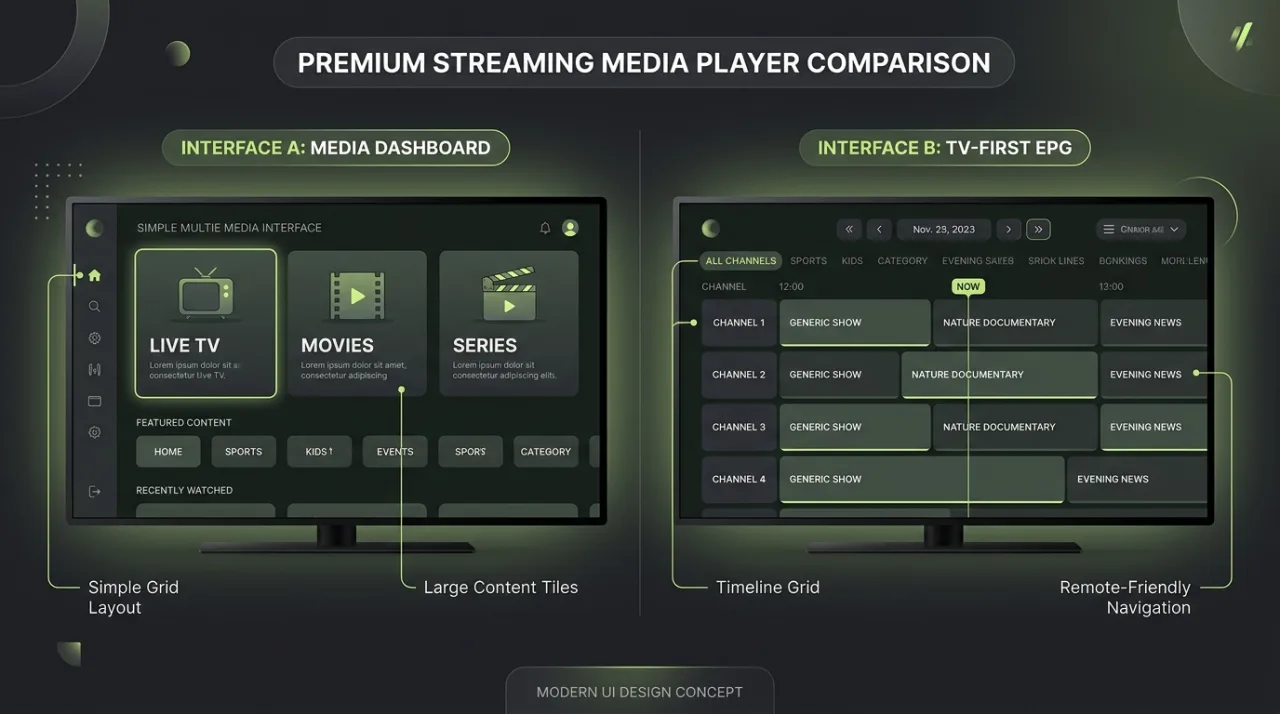
IPTV Smarters Pro vs. TiviMate

Both apps are widely used with TVPrime4K subscriptions in the UK. Comparing their core strengths helps you pick the player best suited for your setup.

IPTV Smarters compared with TiviMate media player interfaces
Dimension IPTV Smarters Pro TiviMate
Device Range Fire TV, Android, iOS, Windows, Mac, Smart TVs Android TV & Amazon Fire OS only
Primary Interface Tile dashboard (Live TV, Movies, Series) Full-screen TV programme guide timeline
Ease of Setup Extremely straightforward credentials entry Advanced configuration options
EPG Experience Standard category programme guide Broadcast-grade customizable timeline grid
Best Use Case Multi-device households & simple navigation Living room TV-first remote control viewing

Troubleshooting

Common Smarters Issues & How to Fix Them

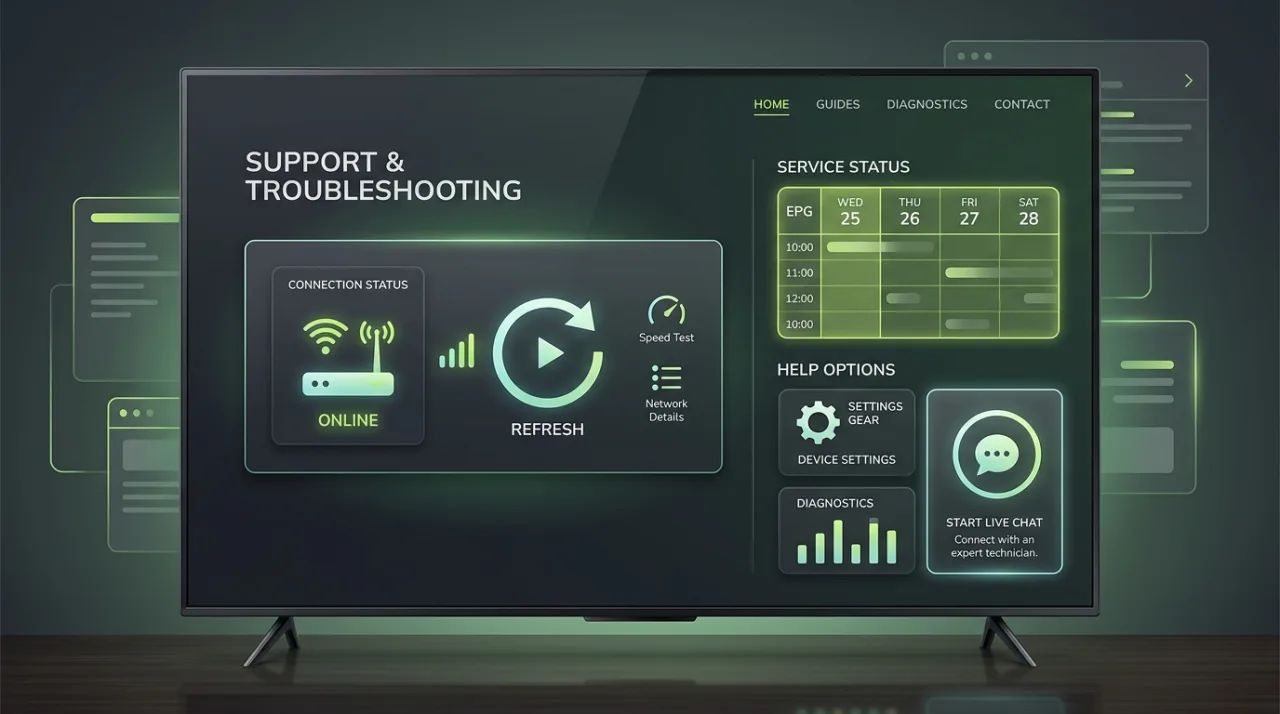
Most playback or connection problems stem from network timeouts, incorrect credentials, or local app cache issues.

IPTV Smarters troubleshooting for buffering login and EPG issues
Still need assistance? Our UK support engineers are ready to assist you on WhatsApp. Contact Customer Support →

⚠ Invalid Details / Login Failed Error

Probable Cause: Mismatched Server URL, expired account credentials, or accidental whitespace before/after the username or password.

Quick Check: Verify the exact server address including http:// and port number. Check that your TVPrime4K subscription or free trial is currently active.

Next Action: Retype credentials carefully without copy-paste trailing spaces. If the issue persists, contact 24/7 support for an immediate account check.

⚠ Playlist or EPG Will Not Download

Probable Cause: Temporary local network timeout, slow internet connection, or device firewall restrictions.

Quick Check: Test your connection by opening another streaming app on the same device. Verify your device date and time are synchronized.

Next Action: Select "Refresh Live, VOD & Series" from the Smarters settings menu. Restart your broadband router to refresh DNS routes.

⚠ Stream Freezes, Buffers, or Skips

Probable Cause: Wi-Fi signal degradation, network congestion, or background apps consuming memory on Firestick.

Quick Check: Check your download speed using the built-in speed test or a browser. Ensure you have at least 15–25 Mbps for steady HD/4K playback.

Next Action: Go to Smarters Settings > Player Selection and switch from the default player to VLC or Hardware Decoder. Connect via wired Ethernet if possible.

⚠ Audio Plays but Screen Remains Black

Probable Cause: Hardware video decoder conflict with the stream codec (HEVC/H.265 or MPEG-4).

Quick Check: Confirm whether the issue happens on all channels or only specific 4K / 50fps sports broadcasts.

Next Action: In IPTV Smarters settings, navigate to "Player Selection" and choose an alternate decoder engine, or install VLC as an external player.

⚠ App Freezes or Closes Unexpectedly

Probable Cause: Low internal flash memory or excessive cached thumbnails on older Firestick or Smart TV hardware.

Quick Check: Check available device storage under Fire TV Settings > Applications > Manage Installed Applications.

Next Action: Select IPTV Smarters and tap "Clear Cache" (do not select Clear Data). Ensure your device has at least 1 GB of free storage space.

⚠ Works on Mobile / Tablet but Fails on TV

Probable Cause: Account connection limit reached, or the TV is connected to a different Wi-Fi network subnet/router.

Quick Check: Verify how many simultaneous connections your TVPrime4K plan includes (1, 2, or 3 concurrent connections).

Next Action: Close the app on your mobile device before launching on your TV, or upgrade your plan to support multiple simultaneous screens.

Subscription Plans

TVPrime4K Subscription Plans for IPTV Smarters

Connect TVPrime4K to IPTV Smarters Pro with instant Xtream Codes activation. Every plan includes full access to live sports, UK entertainment, movies, and automated EPG guide data.

1 Month

£9.99

1 screen

  • Flexible access
  • Setup guidance
  • Customer support

Connections

Simultaneous streams

Choose one
Choose This Plan

3 Months

£19.99

£6.66 a month · 1 screen

  • Flexible access
  • Setup guidance
  • Customer support

Connections

Simultaneous streams

Choose one
Choose This Plan

6 Months

£36.99

£6.17 a month · 1 screen

  • Flexible access
  • Setup guidance
  • Customer support

Connections

Simultaneous streams

Choose one
Choose This Plan

12 Months

Most Popular

£49.99

£4.17 a month · most chosen

  • Flexible access
  • Setup guidance
  • Customer support

Connections

Simultaneous streams

Choose one
Choose This Plan

24 Months

Best Value

£89.99

£3.75 a month · 1 screen

  • Flexible access
  • Setup guidance
  • Customer support

Connections

Simultaneous streams

Choose one
Choose This Plan

Test Before Subscribing

Try Your Playlist on IPTV Smarters Free for 24 Hours

Test our channel reliability, sports streaming stability, and comprehensive EPG guide in IPTV Smarters Pro before committing to a paid plan.

  • ✓ Instant Xtream Codes credentials
  • ✓ Complete live sports & UK channels
  • ✓ No credit card required & no auto-renewal
  • ✓ 24/7 customer support on WhatsApp

Learn more on our IPTV Free Trial UK page.

Frequently Asked Questions

IPTV Smarters Pro FAQs

Clear answers to the most common questions regarding IPTV Smarters setup, login methods, compatibility, and troubleshooting.

IPTV Smarters Pro is a popular cross-platform video and media player application developed by WHMCSSmarters. It provides an intuitive interface that categorises digital streams into Live TV, Movies, and Series sections with electronic programme guide (EPG) support. Smarters Pro is strictly a player software — it does not supply any television channels, video content, or subscription services by itself.

No. IPTV Smarters Pro is entirely empty upon installation. It does not host, broadcast, or sell any media streams, channels, or video on demand. To watch television, you must supply your own compatible playlist from a licensed service provider such as TVPrime4K by entering your assigned Xtream Codes login credentials or M3U playlist link.

Open the application, select "Login with Xtream Codes API", and enter your connection parameters: any profile name you choose, the Server URL (including port), your Username, and your Password. These credentials are provided in your TVPrime4K activation email or customer dashboard. Click "Add User" to download your playlist and EPG guide.

Xtream Codes is an API connection protocol supported by IPTV Smarters. Instead of requiring you to type a long, complex web link, it uses three straightforward fields: Server URL, Username, and Password. It automatically organises your content into structured categories and synchronises the electronic programme guide.

Yes. IPTV Smarters supports standard M3U and M3U Plus playlist URLs. On the login screen, choose "Load Your Playlist or File/URL", assign a name, select M3U URL, and paste your link. However, using the Xtream Codes API login is strongly recommended for faster loading, automatic category separation, and reliable EPG synchronisation.

Yes. IPTV Smarters Pro runs on Amazon Fire TV Stick HD, Fire TV Stick 4K, 4K Max, and Fire TV Cube. Because it is not always available in the standard Amazon Appstore in every region, Fire TV owners typically install it using the official Downloader utility before entering their credentials.

Yes. IPTV Smarters Pro can be installed on certified Android TV and Google TV televisions (such as Sony Bravia, Philips, and TCL) as well as streaming devices like Chromecast with Google TV and Nvidia Shield TV.

Smarters Pro offers a dedicated app for Samsung Smart TVs running Tizen OS in many regions through the Samsung Smart Hub. However, app store availability can vary by TV model year and regional market. If unavailable on your specific TV, you can use alternative Smart TV players like IBO Player or connect an external Firestick.

IPTV Smarters Pro has been available on LG webOS through the LG Content Store for certain model generations, but regional availability fluctuates. If Smarters is not listed in your LG TV store, our LG Smart TV setup guide outlines reliable alternative players such as IBO Player or Smart IPTV.

Buffering is typically caused by local Wi-Fi interference, ISP bandwidth throttling during peak evening hours, or device memory overload. To resolve it, switch your device to 5 GHz Wi-Fi or a wired Ethernet cable, clear the application cache from device settings, restart your router, and consider setting the built-in media player engine to VLC or Hardware Decoding.

If the guide shows "No Information", click "Install EPG" or "Refresh EPG" from the Smarters home screen. Ensure your TV or streaming device has its date, time, and timezone set to automatic network sync, as a time mismatch will prevent EPG programmes from aligning with the current broadcast hour.

IPTV Smarters Pro offers broad multi-device flexibility across Fire TV, Android, iOS, Windows, Mac, and select Smart TVs with a friendly dashboard layout. In contrast, TiviMate is engineered exclusively for Android TV and Fire TV with an advanced, broadcast-grade television EPG and remote navigation. Both players work seamlessly with TVPrime4K subscriptions.

Have another question? Browse our full Knowledgebase FAQ or contact Support.

Helpful guides

IPTV Smarters troubleshooting guides

Find focused help for login, EPG, playback and device setup problems in IPTV Smarters.

Browse all guides

Ready for Seamless Streaming?

Connect TVPrime4K with IPTV Smarters Pro Today

Experience crystal-clear live television, rich EPG guides, and smooth multi-device streaming across your Firestick, Android TV, and smart displays.