Best IPTV for TiviMate: EPG, Catch-Up & Compatibility Guide (2026)
Learn what makes an IPTV service work well with TiviMate: accurate EPG, stable playback, supported logins, catch-up and clear multi-screen limits.
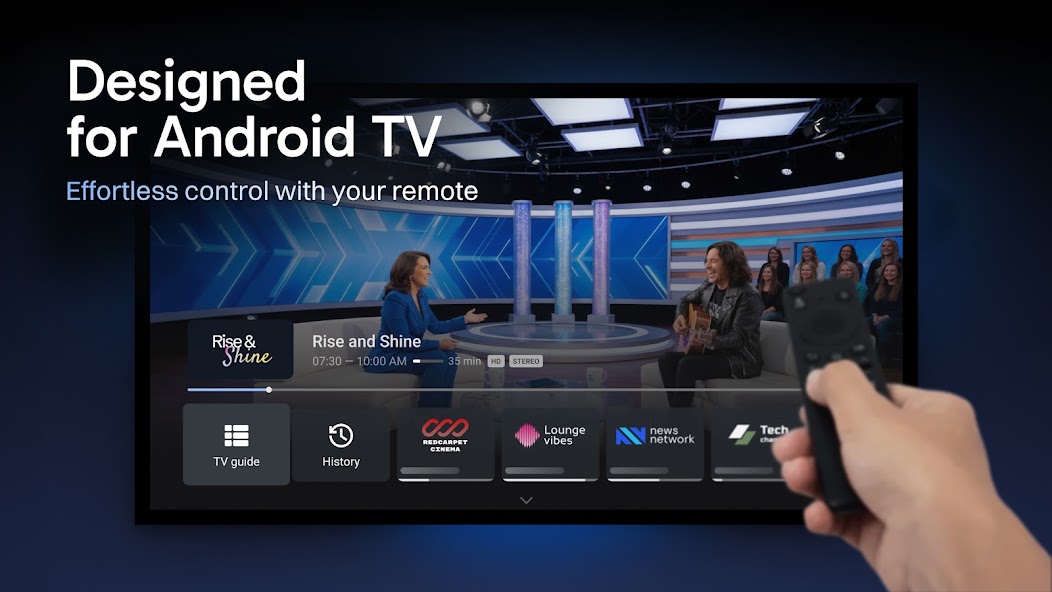
Official TiviMate promotional screenshot, supplied by Armobsoft FZE through Google Play. Illustrates the app; it is not a TVPrime4K service test.
Table of Contents
If you are searching for the best IPTV for TiviMate, start with the channels you actually watch, the accuracy of their programme guide and how reliably they play at your usual viewing time. A huge channel list tells you little about any of those things.
This guide gives you a practical way to assess a service before paying: check the login method, EPG, catch-up availability and simultaneous connection allowance, then test them on your own device. It is published by TVPrime4K, a service provider, rather than an independent provider-ranking website.

Quick answer: choose a service that supplies a supported playlist or login, useful guide coverage for your preferred channels, consistent playback and clearly explained connection limits. Ask for a trial. Treat catch-up and multi-screen access as features to confirm individually.
What TiviMate provides—and what your service must provide
TiviMate’s official Google Play listing identifies it as a media player for Android TV. It supports M3U, Xtream Codes and Stalker Portal, with features including EPG, catch-up, recording and multiview. It does not supply channels. Paying for a Premium upgrade unlocks app functionality; it does not buy a television subscription.
There are three separate parts to your setup: the player, the provider and your device/network. Keep them separate when buying or troubleshooting. A player upgrade cannot create missing provider programme data or increase your provider’s connection allowance.
| Check | Ask the provider | Test yourself |
|---|---|---|
| Login | Which TiviMate-compatible login or playlist do you supply? | Load the playlist and open your preferred channels. |
| Programme guide | Which of my channels have guide coverage? | Compare current and next programmes with playback. |
| Catch-up | Which channels and how many days are included? | Play an earlier programme on a confirmed channel. |
| Playback | Are there service restrictions for my location or device? | Watch at your normal busy viewing time. |
| Connections | How many concurrent streams does this plan allow? | Test only the number explicitly authorised. |
| Support | What information do you need to investigate a fault? | Ask a specific setup question before buying. |
EPG quality: test the guide you will actually use
Make a shortlist of five to ten channels you regularly watch. For each one, check the current programme, what comes next and whether the schedule matches your local time. Repeat after closing and reopening the app. These observations are more useful than a promise that a service simply “includes EPG”.
Look for persistent gaps, listings assigned to the wrong regional channel and schedules that stay behind after an update. An isolated gap and an entirely empty guide are different problems. Record which channels are affected before asking for help.
Guide data and video playback are separate checks. A channel can play while its listing is missing. If that happens, follow our TiviMate EPG troubleshooting guide to check the source, assignment, cached data and device time.
Stream stability: use a repeatable viewing test
For a practical trial, watch one of your usual channels continuously for 20–30 minutes, then change between several favourites. Try this at a time you normally watch television, including an evening session if your trial covers it. This is a suggested checking routine, not a guarantee that any short test predicts future reliability.
Write down the channel, time, picture quality and any interruption. Test audio too: speech, lip sync and volume should remain usable. If one stream fails, compare another channel before changing every setting.
If interruptions affect everything, close other streaming sessions and check your local connection. Where practical, compare Ethernet or a stronger Wi-Fi position. Change one thing at a time so the result tells you something. Avoid judging a service entirely by a speed-test number or a few seconds of successful playback.
Xtream Codes or M3U: which details should you request?
Ask the provider which supported connection method it recommends for your account. With an Xtream Codes-style login, the supplied details are normally a server address, username and password. With M3U, you receive a playlist address or file; ask whether separate programme-guide details are required.
Neither label is a quality certificate. The useful question is whether the exact supplied configuration loads your channels and guide correctly. Copy the details carefully, including the protocol and any port. Keep login details private: a playlist URL may contain credentials.
Before changing to a replacement server address, confirm it with your provider. Do not use random public portal addresses or third-party “activation codes”. Our TiviMate guide covers the player context, while the setup hub helps you find device-specific instructions.
Catch-up: confirm the channels and archive window
If catch-up matters to you, ask for a concrete answer: which of your channels are covered, how far back you can watch and whether that feature is enabled on the offered plan. Do not interpret an app’s catch-up feature as proof that every channel includes an archive.
During the trial, select a programme that has already finished on a channel the provider confirms is supported. Check that it starts, contains the expected programme and can be navigated as you need. If it fails, give support the channel, programme title and broadcast time.
Keep recording separate from catch-up. Recording is a different workflow with its own device, storage and stream requirements. If you intend to record while watching another channel, ask how that activity counts towards your allowance.
Multi-screen: count simultaneous streams, not televisions
Before buying a multi-connection plan, describe exactly what you want to do: two televisions at once, two channels side by side on one television, or playback while recording. Ask how the provider counts each activity.
For planning, assume each different live stream needs a connection unless your provider explicitly confirms otherwise. Two channels in multiview may therefore require two provider connections even though only one physical TV is involved. A Premium app licence and the provider’s stream allowance are separate purchases.
Your device must also handle the workload. If authorised single-stream playback is reliable but multiview struggles, reduce the number of simultaneous streams and compare. A stronger device cannot override account limits; a larger account allowance cannot remove device limitations.
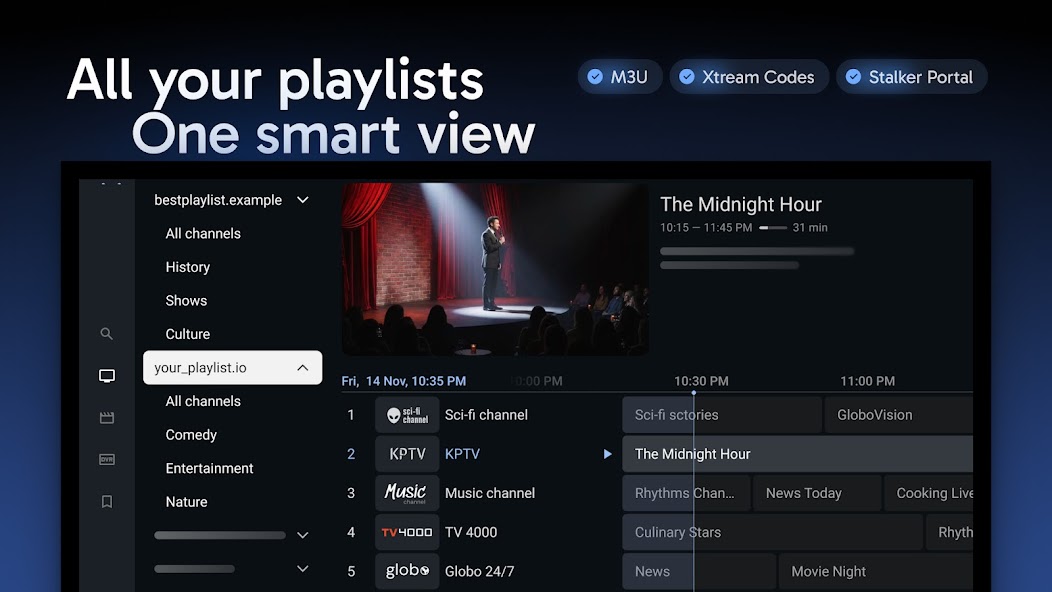
Check your exact device before subscribing
The official TiviMate listing describes an Android TV app designed for remote navigation, rather than a touch-first phone or tablet app. Check the exact device, operating system and installation route before assuming an app with the same name is the same product.
For Fire TV, use our Firestick compatibility guide and provide support with your model and operating system. A guide for one generation should not be treated as confirmation for every Fire TV device.
If you are still choosing a player, read TiviMate vs IPTV Smarters Pro. Choose the app around your device and viewing needs, then assess the service using the same trial checklist.
A trial checklist you can complete before paying
Before activation: confirm your device, login method, trial duration and connection allowance.
First session: load the playlist, open your favourite channels and check audio.
Guide check: compare current and next programme listings on five to ten channels.
Longer session: watch continuously at your usual viewing time and note interruptions.
Optional features: test confirmed catch-up and recording requirements. Test multiview only with enough authorised connections.
Before purchase: confirm the paid plan’s features, renewal terms and support route.
Keep a simple pass/fail note for each must-have. If a feature you depend on is unavailable during the trial, ask for confirmation before committing rather than assuming it will appear on a longer subscription.
Testing TVPrime4K with TiviMate
Start with our 24-hour trial on your selected compatible device. Tell us you use TiviMate so we can provide the appropriate setup details. No payment details are required, and the trial does not start an automatic paid subscription.
Our TiviMate setup guide explains the Xtream Codes login: server URL, username and password. Check the programme guide on your preferred channels during the trial.
TVPrime4K compatibility at a glance
| Feature | What is offered | What to check |
|---|---|---|
| Login | Xtream Codes setup is documented in our TiviMate guide. | Use the server URL, username and password supplied for your account. |
| EPG | Programme guide on supported apps and devices. | Check listings for the specific channels you watch. |
| Trial | 24 hours, one device and one connection. | Test playback and guide quality at your usual viewing time. |
| Multi-screen | Multi-connection plan options are available. | Choose enough concurrent connections; the standard trial has one. |
| Catch-up | Channel coverage and archive duration require confirmation. | Ask about your preferred channels before purchasing. |
| After the trial | No automatic paid subscription. | Compare plans and choose whether to continue. |
Ready to continue? Compare subscription plans, or contact support with your device and catch-up requirements.
Frequently asked questions
Does TiviMate Premium include IPTV channels?
No. Premium unlocks application features. You still need your own supported playlist or service access.
What is the best IPTV service for TiviMate?
The right choice is a service that passes your own checks for channel availability, EPG, playback, support and connection limits. This guide does not present a provider ranking.
Will changing players fix missing EPG?
It may help identify a configuration issue, but first check whether the guide source contains the expected listings and is assigned correctly. A different player does not prove the underlying guide is complete.
Can I use multi-screen with one connection?
Do not assume so. Ask how your provider counts simultaneous streams. Different live channels may each consume a connection, even on a single TV.
Does every channel support catch-up?
Confirm availability with your provider for each channel you need. An app’s catch-up support alone does not establish that an archive is supplied.
Editorial note: prepared 16 September 2026 from official product information and a proposed consumer trial checklist, not a hands-on provider benchmark. Product references: TiviMate on Google Play and TiviMate’s official website. Original logo supplied for this article; screenshots are developer promotional images from the linked listing. TiviMate is not affiliated with TVPrime4K. Use playlists and content you are authorised to access.
See our editorial policy for how these guides are prepared and corrected.
TiviMate Hub
TiviMate setup, compatibility and player guide
Continue with the main setup and compatibility guide for this topic.
Ready to test your IPTV setup?
Try TVPrime4K for 24 hours and check playback, EPG behaviour and device compatibility on your preferred player before choosing a longer plan.
Related Guides & Articles
TiviMate vs IPTV Smarters Pro: Which IPTV Player Is Better in 2026?
Choosing between TiviMate and IPTV Smarters Pro depends mainly on your device and how you like to watch. This 2026 comparison looks at interface, EPG, Android TV, Firestick, Smart TV support, playlists and everyday usability.
Firestick Downloader Codes for IPTV Apps (2026)
Working Firestick Downloader codes for popular IPTV players, with update dates, official-source checks and warnings about fake or modified APK files.
TiviMate EPG Not Updating on Firestick? 9 Fixes
TiviMate showing No Information on Firestick? Diagnose EPG sources, playlist mapping, cache, device time and provider-side guide problems safely.
IPTV Smarters EPG Not Updating? Fix No Information & Wrong Guide Times
IPTV Smarters guide missing or showing the wrong time? Diagnose EPG refresh, device time, cache, channel matching and provider-side issues safely.