TiviMate vs IPTV Smarters Pro: Which IPTV Player Is Better in 2026?
Choosing between TiviMate and IPTV Smarters Pro depends mainly on your device and how you like to watch. This 2026 comparison looks at interface, EPG, Android TV, Firestick, Smart TV support, playlists and everyday usability.
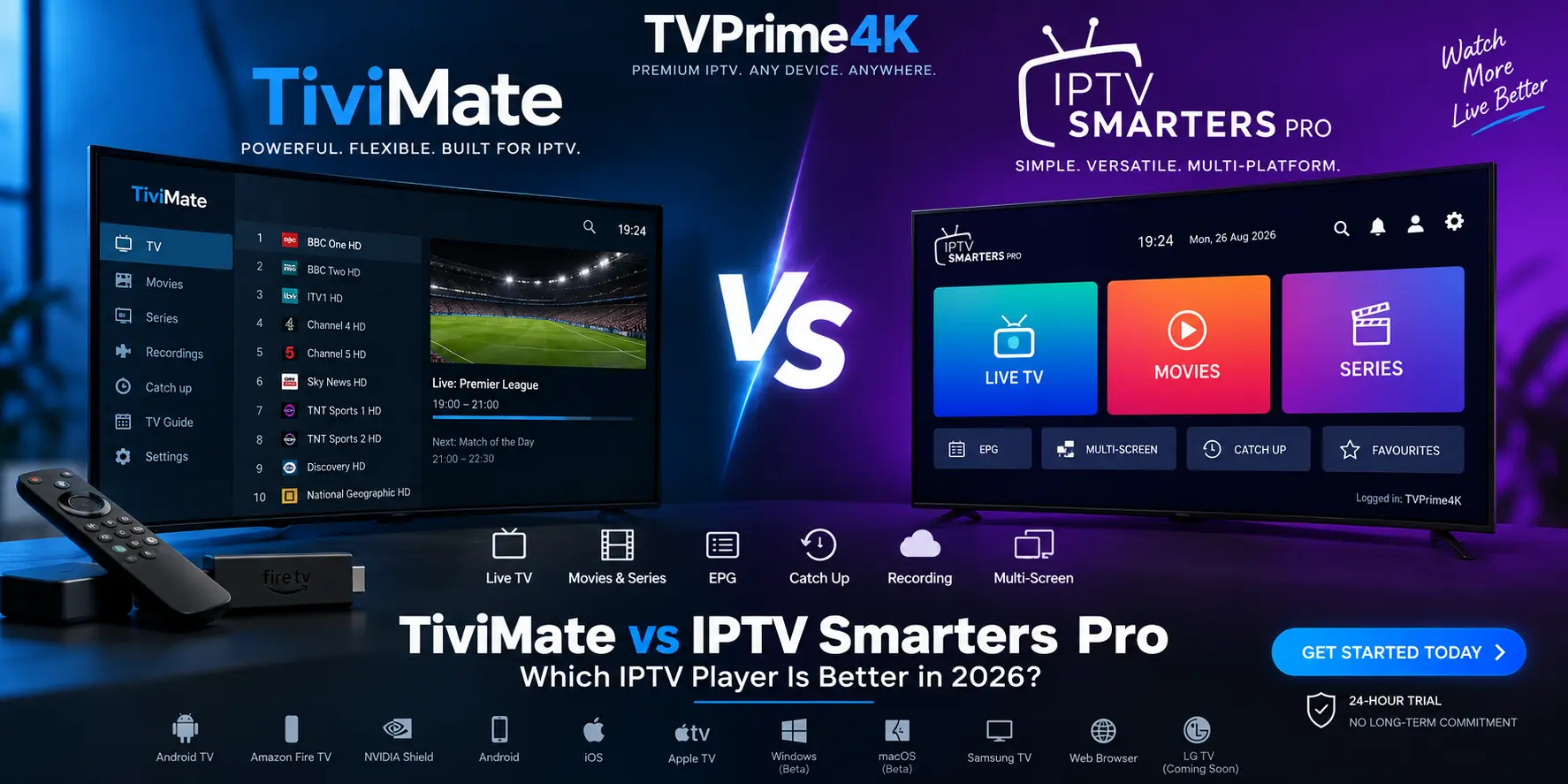
Table of Contents
TiviMate and IPTV Smarters Pro are two of the most familiar names for people who want to organise and play IPTV playlists, but they are built with different priorities.
TiviMate is focused heavily on the television experience. Its interface is designed around Android TV, large screens and remote-control navigation, with features such as EPG browsing, multiple playlists, favourites, catch-up, recording and multiview.
Smarters Pro takes a broader cross-platform approach. Its official website currently lists Android phones, Android TV, iPhone and iPad, Apple TV, Windows, macOS, Samsung Smart TV and WebTV. That makes it attractive if you want a similar player experience across several different devices.
The important point is that neither app is an IPTV subscription by itself. Both are media players. You still need your own legitimate playlist or service credentials to watch content.
In this guide, we compare TiviMate vs IPTV Smarters Pro feature by feature and explain which one makes more sense for Android TV, Fire TV Stick, Samsung Smart TV and multi-device households.
Sources: official TiviMate Google Play listing and official Smarters Pro website.
TiviMate vs IPTV Smarters Pro: Quick Comparison
| Feature | TiviMate | IPTV Smarters Pro |
|---|---|---|
| Best suited to | TV-first users | Multi-device users |
| Android TV | Excellent | Supported |
| Fire TV Stick | Common TV-first choice; installation availability can vary | Official setup guidance available |
| Samsung Smart TV | No native Samsung version | Official Samsung version available |
| iPhone / iPad | Not optimised for touch devices | Supported |
| Apple TV | No official Apple TV version | Supported |
| Windows / macOS | No official desktop version | Official beta versions listed |
| EPG / TV Guide | Yes | Yes |
| Multiple playlists | Yes | Yes |
| Catch-up | Yes, when supplied by the source | Supported on applicable setups |
| Recording | Yes | Varies by platform/version |
| Multiview / Multi-screen | Multiview supported | Multi-screen supported |
| Picture-in-Picture | Not the main focus | Supported |
| Chromecast | Not the main focus | Supported |
| M3U | Yes | Yes |
| Xtream Codes | Yes | Login methods vary by platform/version |
| Content included | No | No |
What Is TiviMate?
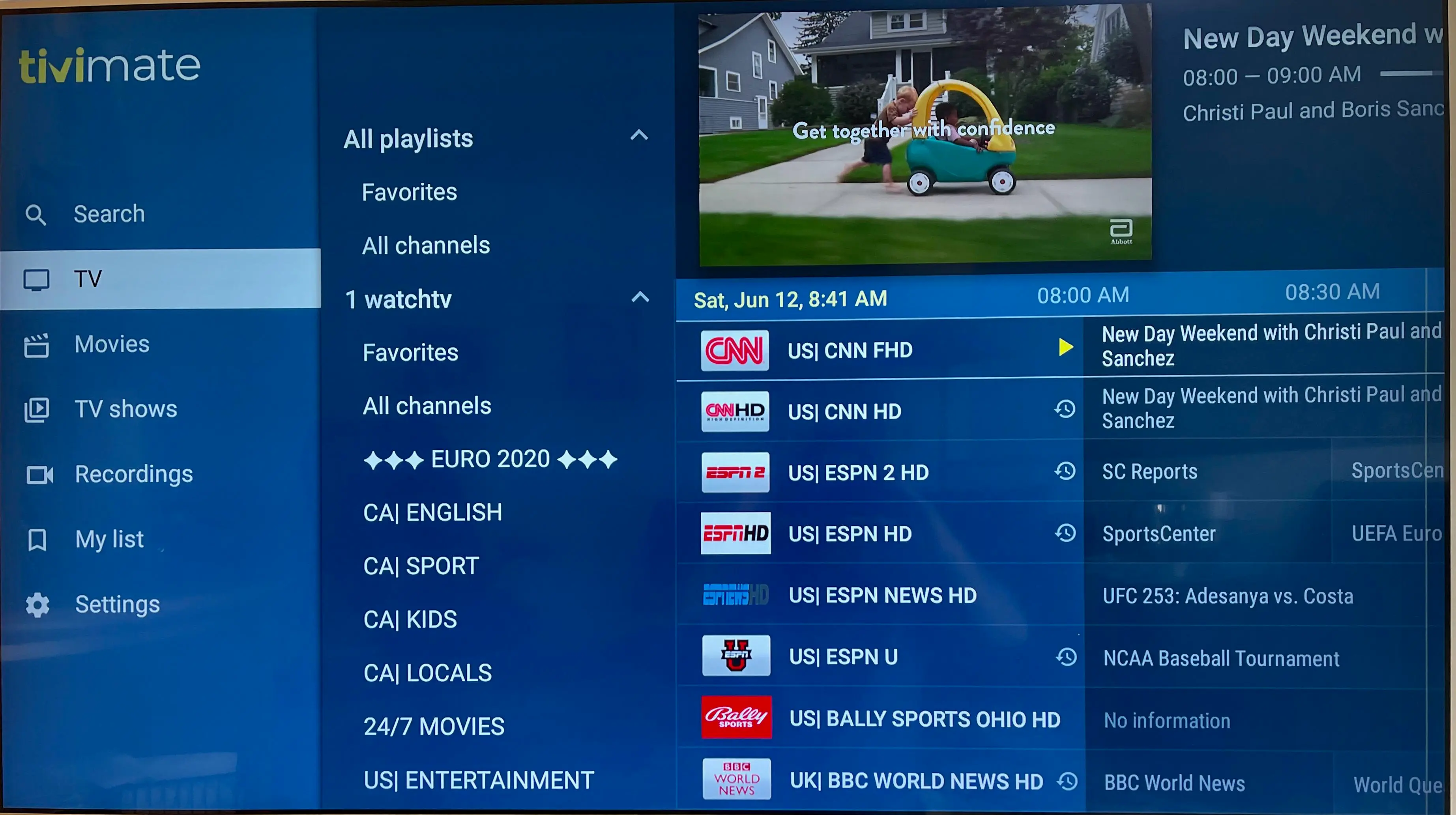
TiviMate is a media player designed primarily for Android TV devices and navigation with a television remote.
That focus is obvious when you open the app: live channels, groups and programme information are arranged in a layout that feels closer to a traditional premium TV interface than a mobile application.
The official listing confirms support for M3U, Xtream Codes and Stalker Portal, together with EPG, multiple playlists, favourites, catch-up, recording, search, parental controls and multiview.
For users who spend most of their viewing time on a television, this TV-first approach is TiviMate's biggest advantage.
It is important to understand what TiviMate Premium means. Premium unlocks additional application features; it does not include channels, streams or an IPTV subscription.
For configuration help, see our TiviMate setup guide.
Source: TiviMate on Google Play.
TiviMate Setup Guide
Learn how to configure TiviMate, playlists, EPG and playback settings for a TV-first setup.
What Is IPTV Smarters Pro?
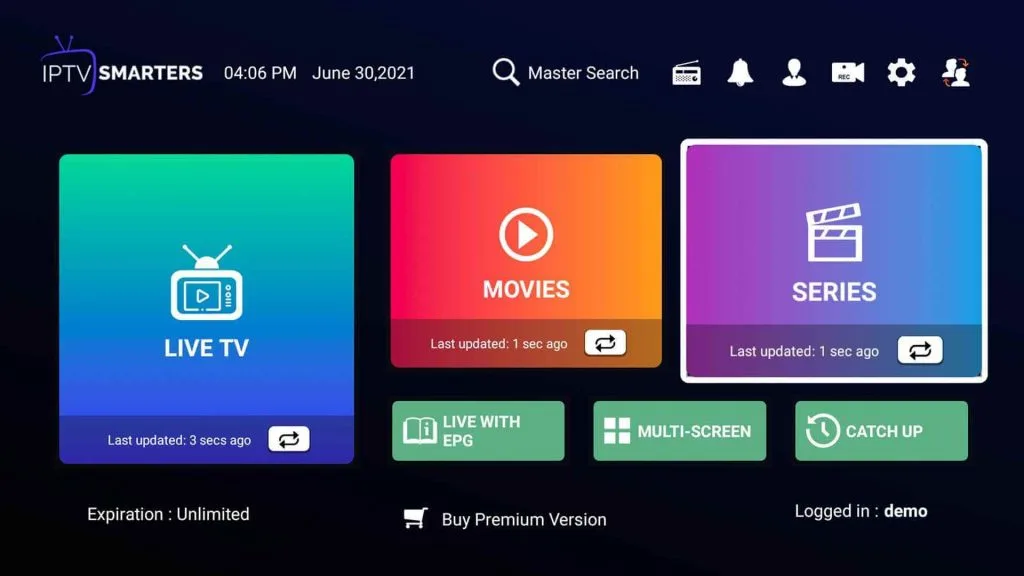
IPTV Smarters Pro, now commonly branded simply as Smarters Pro, takes a more cross-platform approach.
Its official website currently lists Android phones, Android TV, iPhone and iPad, Apple TV, Windows, macOS, Samsung Smart TV and WebTV. Windows and macOS are currently labelled beta, while LG is listed as coming soon.
Its documented features include multiple playlists, EPG support, parental controls, multi-screen and multi-user functionality, Picture-in-Picture, Chromecast, favourites and search.
Just like TiviMate, Smarters Pro does not sell or provide channels through the player itself. The application plays media and playlists supplied by the user or an external provider.
For setup help, see our IPTV Smarters Pro guide.
Sources: Smarters Pro and its official feature list.
TiviMate vs IPTV Smarters Pro: Feature-by-Feature
Interface and Ease of Use
TiviMate has the advantage when the television is your primary screen. Its layout is built around directional remote navigation, channel groups and a large-screen programme guide.
Once configured, moving between channels and checking what is currently playing feels natural from a sofa. Users who like adjusting the appearance and behaviour of their player also get plenty of customisation options.
Smarters Pro is easier to recommend when consistency across different device types matters more. Its interface has to work on phones, TVs and computers, so it uses a broader dashboard approach.
Winner for a dedicated TV setup: TiviMate.
Winner for cross-device flexibility: Smarters Pro.
EPG and Live TV Browsing
Both players support an Electronic Programme Guide, but TiviMate's EPG is one of the main reasons the app works so well on televisions.
The grid-style guide makes it easy to move across channels and programme times without leaving the main TV experience. TiviMate also combines this with favourites, search, catch-up and other live-TV tools.
Smarters Pro also officially supports EPG data and is capable of displaying programme information, but users who place the TV guide at the centre of their viewing experience will usually prefer TiviMate's TV-first presentation.
Android TV
This is TiviMate's strongest platform.
TiviMate explicitly describes itself as an app designed for Android TV and remote-control navigation. If you use an Android TV box, Google TV device or another compatible television platform based on Android TV, its interface feels purpose-built for the job.
Smarters Pro also has a dedicated Android TV version, so it remains a good alternative, especially if you already use Smarters on your other devices.
For users who mainly watch from Android TV, however, TiviMate gets our vote. See our complete TiviMate guide for setup details.
Amazon Fire TV Stick
Fire TV Stick users have a more interesting choice because both players can be used in television-focused setups, although availability and installation methods can change over time.
If your priority is a polished EPG and traditional television-style navigation, TiviMate is a strong fit. If you already use Smarters Pro on phones, tablets or other televisions, keeping the same player family across devices may be more convenient.
Use current device-specific instructions rather than relying on an old Downloader code from an outdated third-party tutorial. See our Fire TV Stick guide and Fire TV setup instructions.
Samsung Smart TV
For a Samsung Smart TV without an external Android or Fire TV device, Smarters Pro has the clear advantage.
Smarters Pro currently lists an official Samsung TV version. TiviMate, by contrast, is designed around Android TV rather than Samsung's native television platform.
That means Smarters Pro is the better choice for direct installation on a compatible Samsung Smart TV.
If you connect a Fire TV Stick or Android TV device to the Samsung television, TiviMate becomes an option again because the player then runs on that external device rather than directly on the television.
See our Samsung Smart TV IPTV guide for more options.
iPhone, iPad, Windows and Mac
Smarters Pro wins this category easily.
TiviMate's official listing says the player is intended for Android TV and is not optimised for touch phones or tablets. Smarters Pro currently lists iPhone, iPad and Apple TV apps, together with Windows and macOS versions; the desktop versions are currently labelled beta.
If you regularly move between a television, laptop and phone, Smarters Pro therefore provides considerably more platform flexibility.
Multiple Playlists and Multi-Screen Viewing
Both apps can manage multiple playlists, which is useful if you have several legitimate media sources or separate household profiles.
TiviMate lists Multiview as a native feature, while Smarters Pro documents multi-screen and multi-user functionality among its features.
There is an important distinction here: a player's multi-screen feature does not automatically give you permission to stream several provider connections at the same time. Your service plan must separately support the number of simultaneous connections you intend to use.
Catch-Up and Recording
TiviMate officially lists both catch-up and recording among its features, although whether catch-up programmes are actually available depends on the playlist and service providing the stream.
Smarters Pro also supports catch-up-oriented playback features on applicable setups, while feature availability can differ across device versions.
If local recording is especially important to you, check the exact capabilities of the version available for your device before choosing the player.
For a dedicated Android TV setup where recording is a priority, TiviMate has the clearer advantage.
M3U vs Xtream Codes: What Do You Enter?
IPTV players generally need connection information before they can display your authorised media sources.
One common option is an M3U playlist URL. Another common configuration uses a server address together with a username and password, often referred to as an Xtream-style login.
TiviMate explicitly supports M3U and Xtream Codes. Smarters Pro officially advertises M3U support; available login methods can differ between its platforms and versions.
Always use credentials from a service or content source you are legally entitled to access.
https://stream.example.com/get.php?username=YOUR_USERNAME&password=YOUR_PASSWORD&type=m3u_plus&output=tsPlaylist Name: My TV
Server URL: https://stream.example.com
Username: YOUR_USERNAME
Password: YOUR_PASSWORDDoes Changing IPTV Player Fix Buffering?
Sometimes, but not always.
A better-optimised player can improve navigation, decoding behaviour or how quickly a playlist responds. But buffering can also come from Wi-Fi congestion, insufficient internet speed, a busy upstream server, routing problems, VPN performance or the playback capabilities of the device itself.
If the same stream buffers in both TiviMate and Smarters Pro, changing player again is unlikely to address the underlying cause.
A useful troubleshooting method is to test the same authorised stream on the same connection with another player and, where possible, another device. That helps separate an app-specific problem from a connection or source problem.
Which Player Should You Choose?
Choose TiviMate if your main device is Android TV or a compatible TV-first setup, you want a television-focused interface, you rely heavily on EPG browsing, or you want features such as recording and multiview in a highly customisable environment.
Choose Smarters Pro if you use several types of devices, need direct Samsung Smart TV support, want access from iPhone or iPad, or also watch from Windows, macOS, Apple TV or a browser.
Neither choice has to be permanent. Because these are players rather than content providers, you can test your own authorised playlist in the apps available for your devices and decide which interface suits you best.
For television-specific setup advice, see our Smart TV IPTV guide and Smarters Pro guide.
Already chosen your IPTV player?
Try TVPrime4K for 24 hours and check playback, EPG behaviour and device compatibility on your preferred player before choosing a longer plan.
TiviMate vs IPTV Smarters Pro: Final Verdict
There is no single winner for every device.
TiviMate is our preferred option for a dedicated Android TV or compatible TV-first viewing setup. Its large-screen interface, programme guide, playlist management and TV-focused features make it especially strong when most viewing happens from the sofa with a remote.
Smarters Pro is the more versatile choice across different platforms. Its support for Samsung Smart TVs, Android, iOS, Apple TV, Windows, macOS and WebTV gives it a significant advantage in households that do not use the same operating system on every screen.
So the simplest answer is this: choose TiviMate for the stronger TV-first experience, and choose Smarters Pro for broader device flexibility.
Whichever player you choose, remember that the app itself does not supply channels. Use it only with media and services you have permission to access.
Frequently Asked Questions
Is TiviMate better than IPTV Smarters Pro?
TiviMate is generally the stronger choice for a dedicated Android TV or compatible TV-first setup because of its large-screen interface, EPG and customisation. Smarters Pro is more flexible when you need support across several different device platforms.
Does TiviMate include TV channels?
No. TiviMate is a media player only. You must add your own authorised playlist or service credentials.
Does IPTV Smarters Pro include an IPTV subscription?
No. Smarters Pro states that it is a media player and does not provide or sell IPTV subscriptions, channels or media content.
Which player is better for Samsung Smart TV?
Smarters Pro is the better direct-install option because its official platform list currently includes Samsung Smart TV. TiviMate is designed for Android TV devices.
Which player is better for Android TV?
TiviMate is our preferred Android TV option because its interface and navigation are specifically designed around large screens and television remotes. Smarters Pro also has an Android TV version.
Can TiviMate use M3U and Xtream Codes?
Yes. TiviMate officially lists support for M3U playlists, Xtream Codes and Stalker Portal.
Can changing IPTV player stop buffering?
It can help when the problem is related to the player, but buffering may also be caused by Wi-Fi, internet speed, device performance, routing or the upstream streaming source.
See our editorial policy for how these guides are prepared and corrected.
TiviMate Hub
TiviMate setup, compatibility and player guide
Continue with the main setup and compatibility guide for this topic.
Ready to test your IPTV setup?
Try TVPrime4K for 24 hours and check playback, EPG behaviour and device compatibility on your preferred player before choosing a longer plan.
Related Guides & Articles
Best IPTV for TiviMate: EPG, Catch-Up & Compatibility Guide (2026)
Learn what makes an IPTV service work well with TiviMate: accurate EPG, stable playback, supported logins, catch-up and clear multi-screen limits.
Firestick Downloader Codes for IPTV Apps (2026)
Working Firestick Downloader codes for popular IPTV players, with update dates, official-source checks and warnings about fake or modified APK files.
TiviMate EPG Not Updating on Firestick? 9 Fixes
TiviMate showing No Information on Firestick? Diagnose EPG sources, playlist mapping, cache, device time and provider-side guide problems safely.
IPTV Smarters EPG Not Updating? Fix No Information & Wrong Guide Times
IPTV Smarters guide missing or showing the wrong time? Diagnose EPG refresh, device time, cache, channel matching and provider-side issues safely.